T-Rex Successful, Slightly Famous, Autistic Adult

Open Source Assistive Devices and Possibly Inspirational Stories.

Every generation, every physical device

Hardware Versions & Capabilities

A working ledger of the physical T-Rex Talker devices, from the original 1990s Amiga builds through the current V3 family. Displays, inputs, MCUs, and what each variant is best at — with photos of the real hardware where we have them.

Naming notes

V0 / V1 / V2 / V3 mark hardware generations, not individual devices. Each generation has one or more physical devices. The V3 numbering matches the software-side “Version 3 — T-Rex Talk” release.

“MVP” means Minimum Viable Product hardware — the simplest buildable variant of a given generation. Not “Most Valuable Player.”

“Little Brother” was the original V0 device previously called “Teller” in old paper notes.

V3 · 2026 · Current

V3 — four devices, one standardized brain

Four parallel devices, all RP2350-class CircuitPython targets (plus one ESP32-S3 variant), plus the Sip-N-Puff input peripheral. Every V3 device includes an on-board Li-Ion charger and battery support. The V3 MVP is the standardized compute brain — other V3 devices either are the MVP in a different enclosure, or plug into it as peripherals.

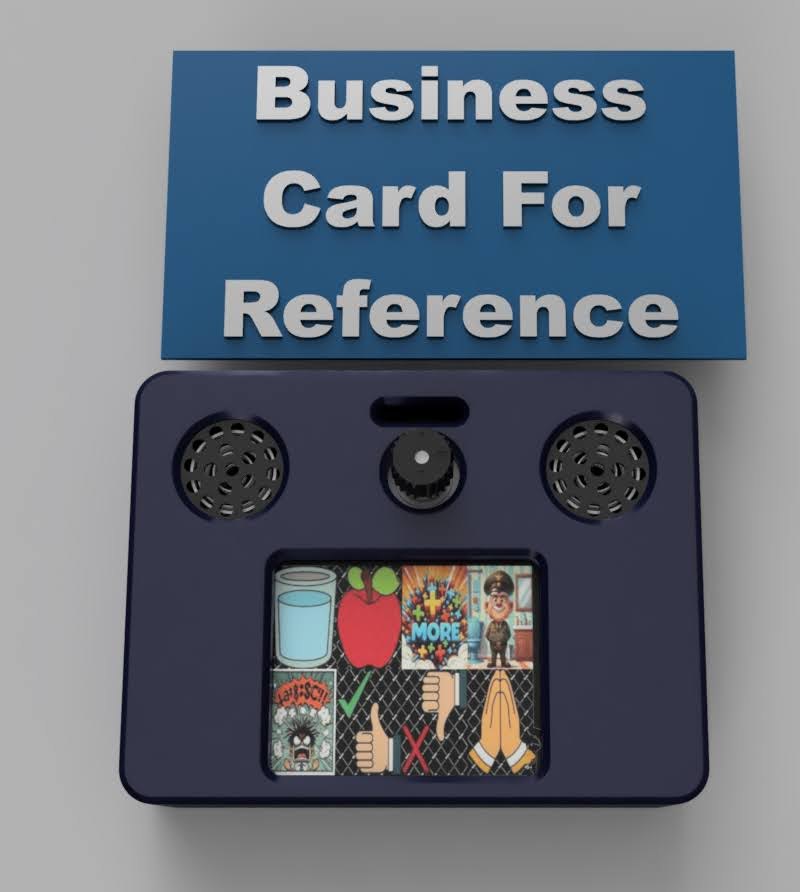
V3 MVP render — RP2350 board with color LCD, dual speakers, rotary encoder
Active

V3 MVP

The buildable-by-anyone reference — and the internally standardized V3 brain.

Runs in two roles: (1) standalone AAC device with its own LCD and dual speakers, or (2) compute module that other peripherals plug into. Two physical implementations of the same brain: a custom RP2350B PCB, or an Adafruit Fruit Jam baseboard with a converter daughterboard.

Audio is the deliberate fix for the volume problem that constrained the V2 MVP: TLV320DAC3100 driving two external 8 Ω, 1 W speakers through a Class-D amp.

MCU
Raspberry Pi RP2350B (CircuitPython)
Display
Wisevision N177-1216TCWPG01-H14 color LCD (LCSC C5123575)
Input
Rotary encoder
Audio
TLV320DAC3100 + 2 × INGHAi GSPK2307P-8R1W speakers (8 Ω, 1 W)
Power
USB-C, on-board Li-Ion charger
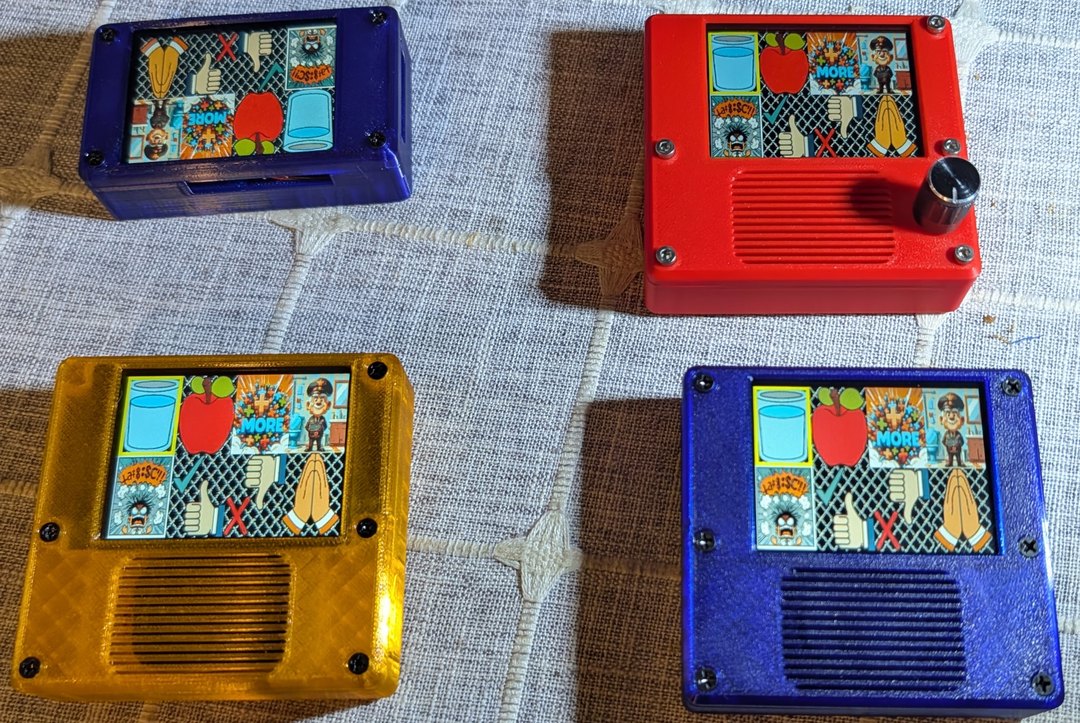
V3 CYD — four colored 3D-printed cases with comic-style AAC sticker UIs
Active

V3 CYD

The “Cheap Yellow Display” touch-first AAC base.

Built around the widely available CYD form factor — ESP32-S3 by definition, no other MCU on this device. Larger screen, easy sourcing. Ships in multiple colored 3D-printed enclosures (blue, red with encoder, yellow/orange, blue with speaker grille) all wearing the comic-style AAC sticker UI.

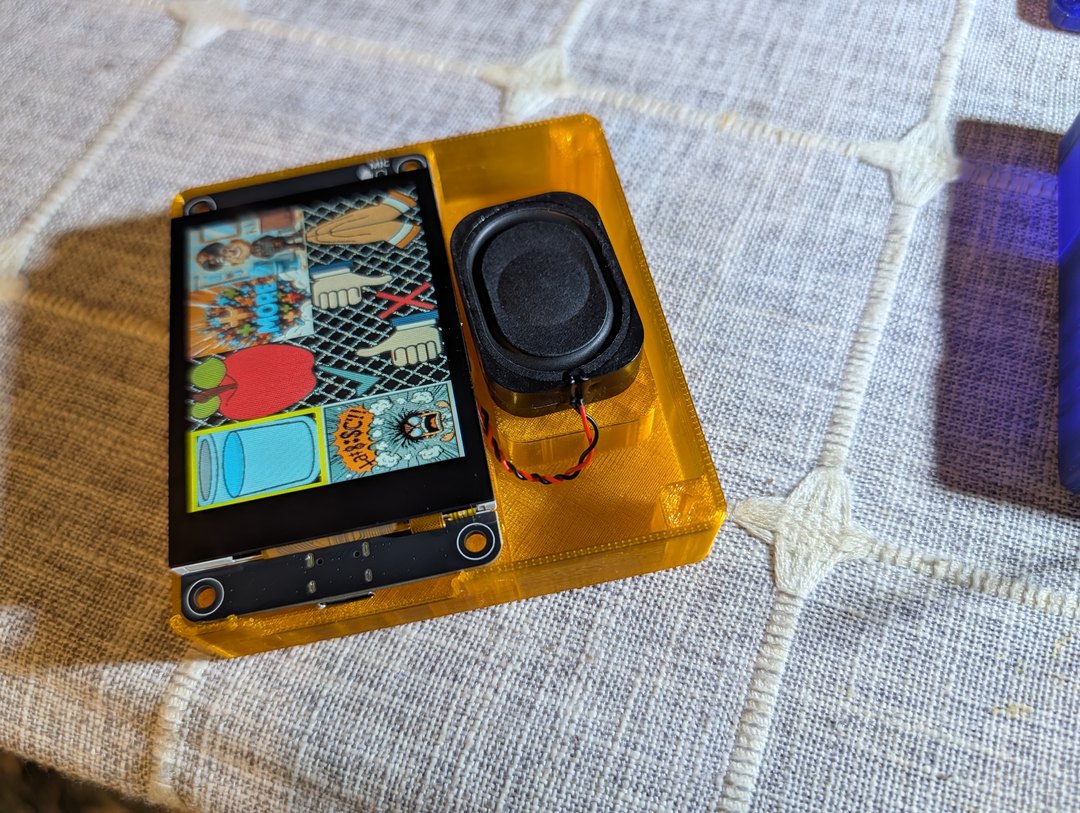
The orange variant has a removable speaker module and a microphone cutout on top — first deployment of the V3 PDM-mic concept on a non-Stim variant.

MCU
Espressif ESP32-S3 (CircuitPython)
Display
320×240 color ILI9341 capacitive touch
Input
Touch screen (optional rotary encoder on red variant)
Audio
TLV320 + external speaker (orange variant: removable speaker module)
Power
USB-C, on-board Li-Ion charger
V3 Fruit Jam daughterboard render (same compute brain as V3 MVP)
Active

V3 Fruit Jam daughterboard

The V3 MVP in daughterboard form — the Maker-Faire build target.

Same compute brain as the V3 MVP (this is the MVP's Option-2 assembly path). Mounts onto the Adafruit Fruit Jam baseboard; rotary-encoder-first interaction. The daughterboard form factor is fast to assemble and demo-friendly, which is why we chose it for the Maker Faire build.

MCU
Fruit Jam RP2350 baseboard (CircuitPython)
Display
160×128 color LCD (ST7735R)
Input
Rotary encoder
Audio
Shared V3 MVP audio path (TLV320 + external speakers)
Power
USB-C, on-board Li-Ion charger
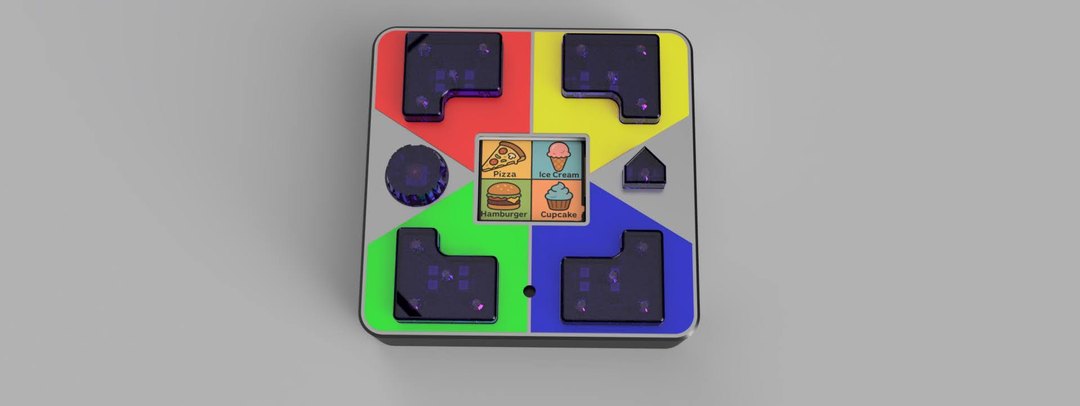
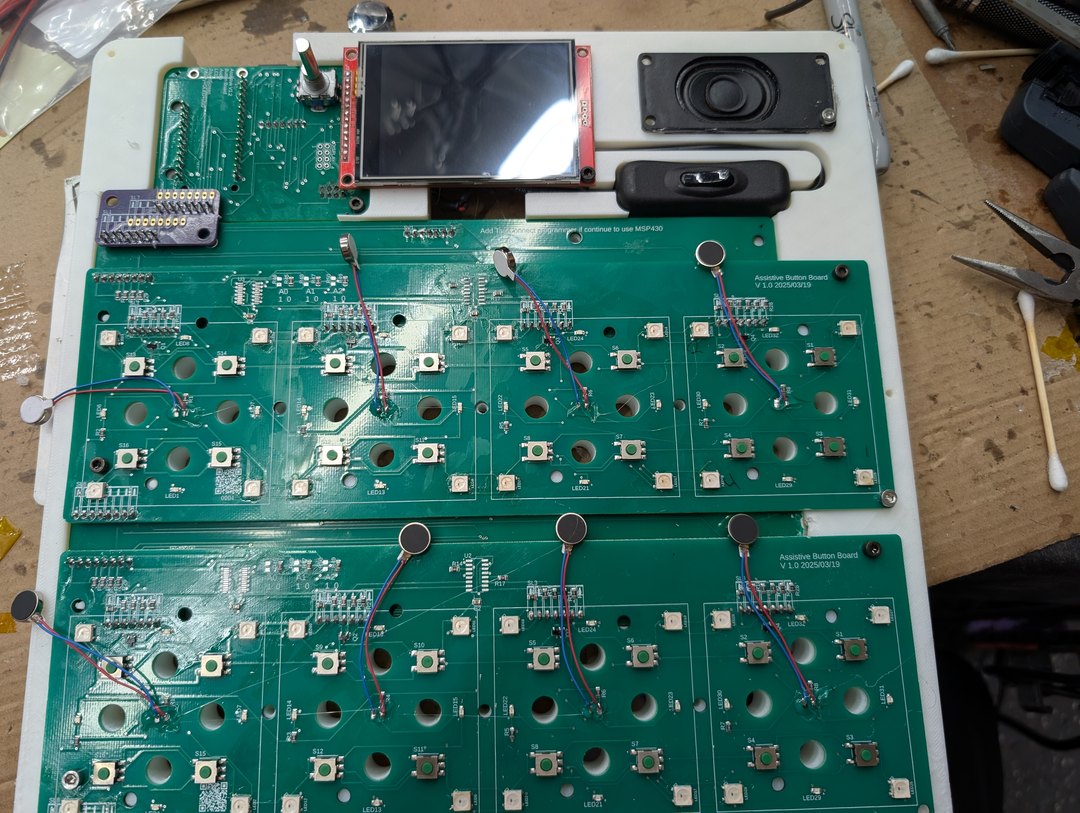
V3 Interactive / Stim render — lit button cluster around a central display
Finishing

V3 Interactive / Stim

Sensory-rich daughterboard on the V3 MVP — also the base for limited-mobility devices.

Mirrors the V3 Fruit Jam pattern: MVP compute brain + a variant-specific daughterboard. This daughterboard carries a lit button cluster (4 corner SMD switches + 4 NeoPixels per cap, 24 pixels total), a lit rotary encoder, Tiny Code Reader (5744) for QR input, LIS3DH accelerometer, DRV2605L haptic driver, stronger vibration motor, and an optional PDM microphone (Adafruit 4346) for on-device input and voice recording — feasibility test starting now.

The input stack is intentionally redundant so it can also serve as the base for Sip-N-Puff and single-switch users.

MCU
V3 MVP brain (RP2350B, CircuitPython)
Display
HOSYOND 2.8–4″ 240×320 IPS ILI9341V capacitive touch
Input
Lit corner+home button cluster, lit rotary encoder, Tiny Code Reader (QR), LIS3DH accel
Haptics
DRV2605L driver + stronger vibration motor
Optional
PDM microphone (Adafruit 4346)
Power
USB-C, on-board Li-Ion charger
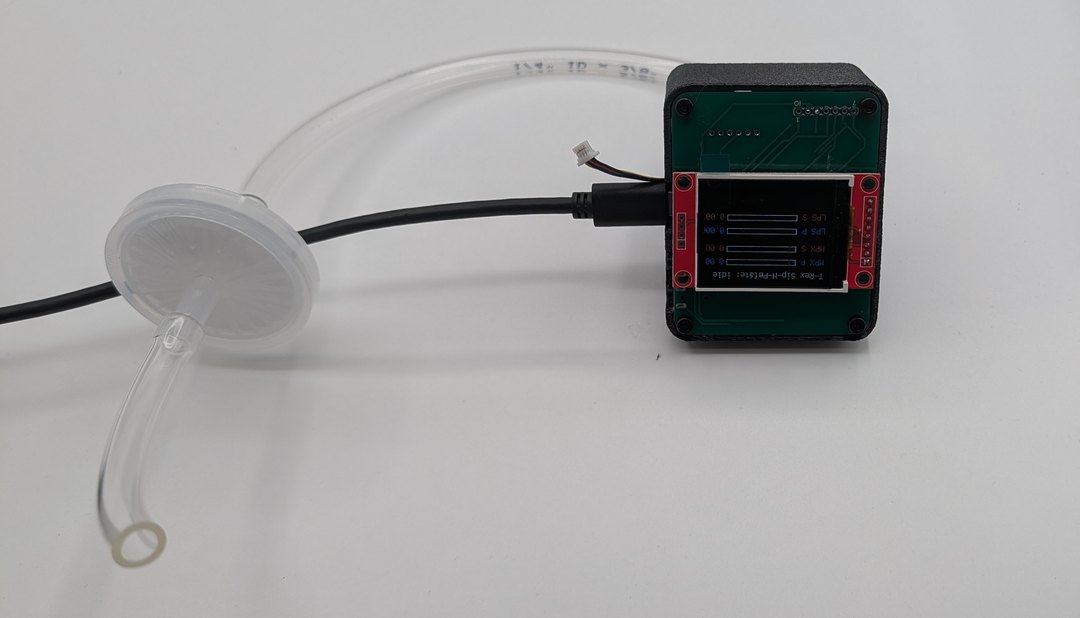
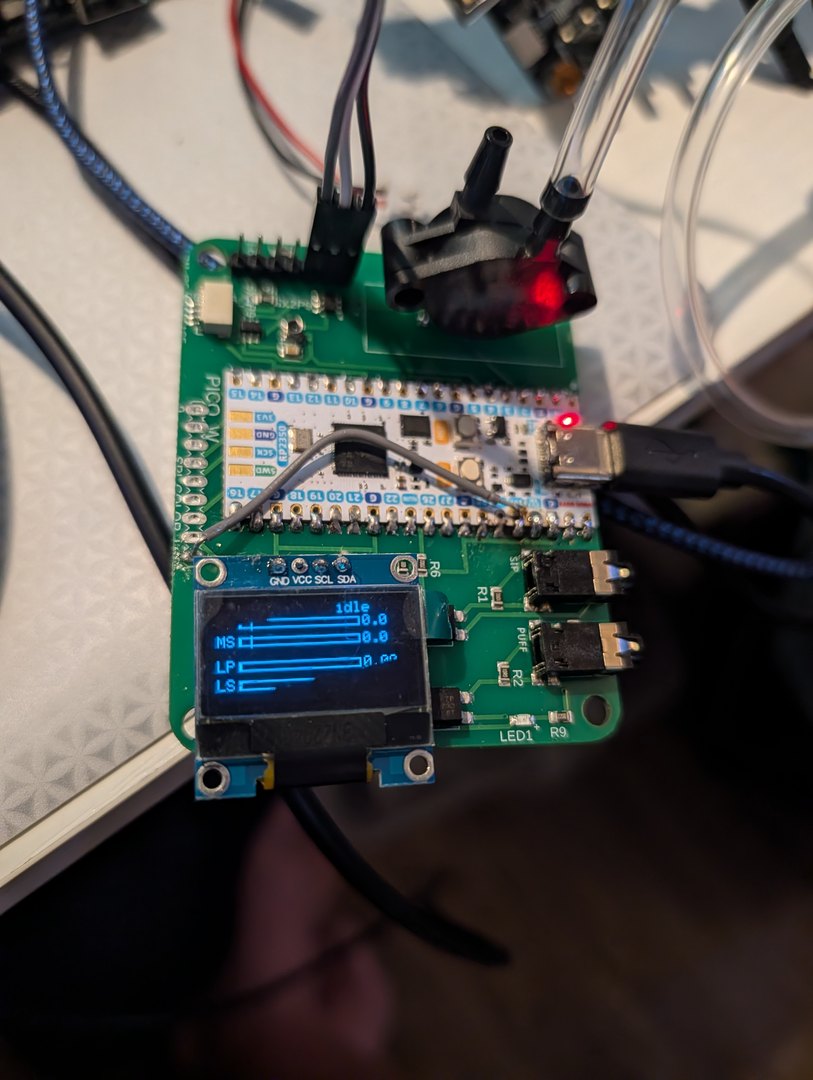
V3 Sip-N-Puff finished — black cube case + dual-sensor display + hygiene filter
Active

V3 Sip-N-Puff peripheral

Breath-pressure input module — and it talks to more than just AAC devices.

Plugs into a V3 base (typically Interactive/Stim, but works with any rotary-encoder V3) over I²C or pulsed inputs. Also presents standard USB HID to any phone / tablet / Chromebook / PC, drives the Xbox Adaptive Controller via 3.5 mm switch jacks + optocouplers, and speaks I²C to any custom host.

Optional 9-axis IMU add-on turns head orientation into mouse or joystick emulation on the same USB-HID path — the “cursor by head, click by breath” pattern.

MCU
Raspberry Pi Pico W or Pico 2 W (CircuitPython)
Pressure sensor
LPS28DFWTR (SMD default) or MPX5010DP (through-hole alt)
Bring-up display
SSD1306 128×32 OLED (live pressure bars)
Hosts supported
V3 AAC bases (I²C / pulsed), USB HID, Xbox Adaptive Controller (3.5 mm switch jacks + optocouplers), any I²C host
Filter stack
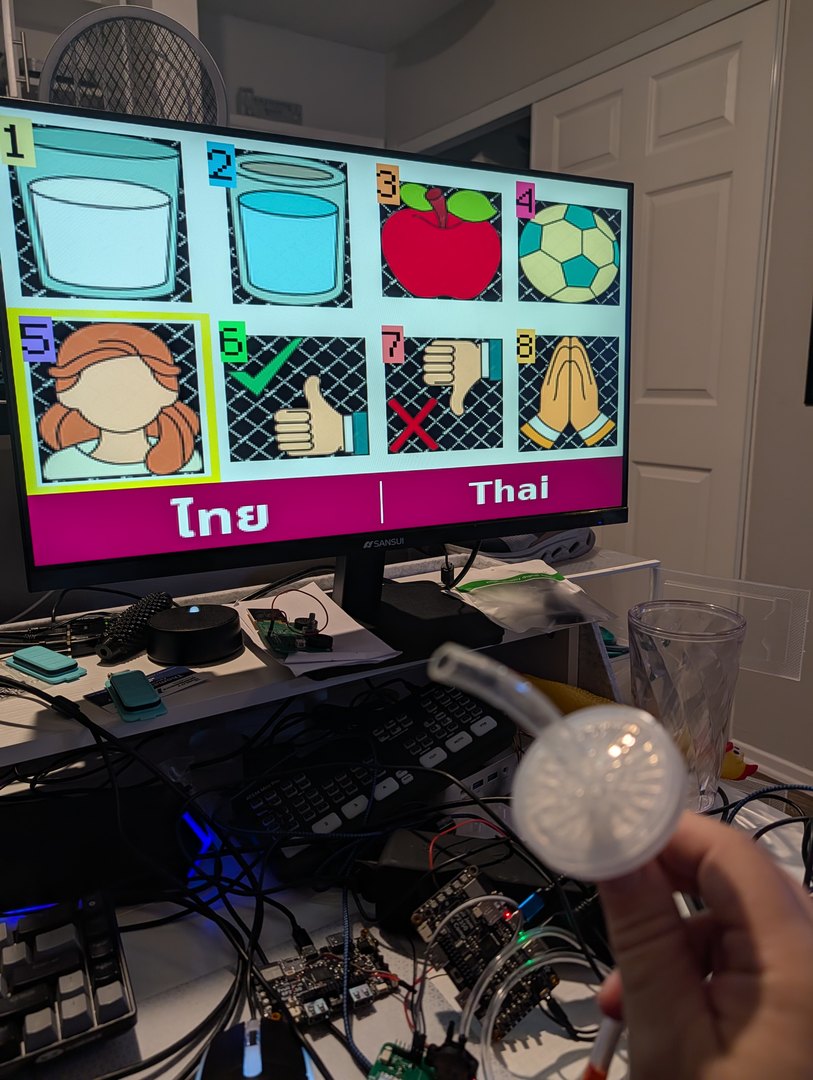
Polypropylene mesh (saliva trap) + 0.22 μm PTFE membrane (bacterial/viral)
Optional
9-axis IMU (MPU-9250 / ICM-20948 / BNO055) for head-tracking → HID mouse/joystick
V3 shared platform

Common architecture across V3

MCU mix, not a single chip family. RP2350 for MVP, Fruit Jam, and Interactive/Stim; ESP32-S3 for CYD; RP2040 on the V2 MVP board as a cross-MCU portability rig.

MSPM0 Seesaw input expander. An MSPM0-based I²C expander with one interrupt pin handles buttons, encoder, Sip-N-Puff, and NeoPixels — so the host MCU only needs to speak I²C+INT. That's the abstraction that lets us treat the MCU choice as cheap and land the AAC stack on almost anything that runs CircuitPython or full Python.

Power. USB-C charging, integrated Li-Ion charger IC on every V3 device. Audio. TLV320DAC3100 + Class-D speaker amp over I²S — the deliberate fix for the V2 MVP volume problem. Buses. SPI1 shared with SD on color-LCD variants; I²C for OLED variants and the shared sensor/expander bus.

V2 · ~2025

V2 — MVP 2.0 & Grumpy Old Man

The first integrated PCB generation. Custom boards and 3D-printed enclosures. The lessons from V2 — speaker volume, in particular — directly shaped V3.

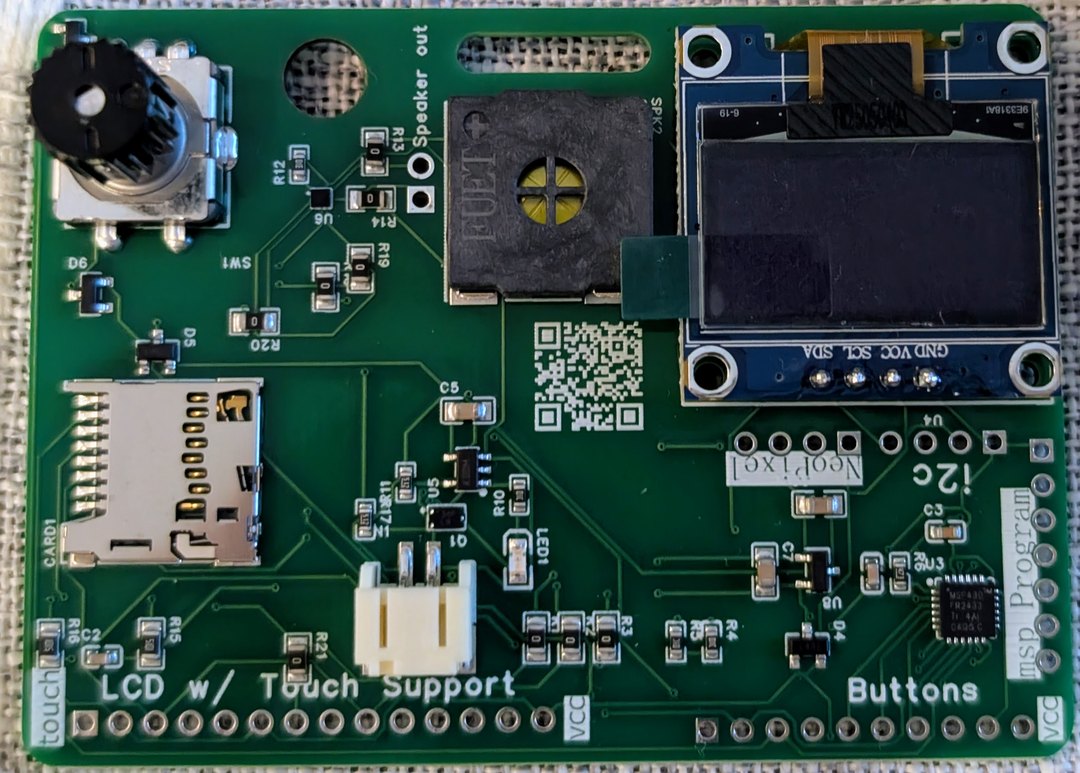
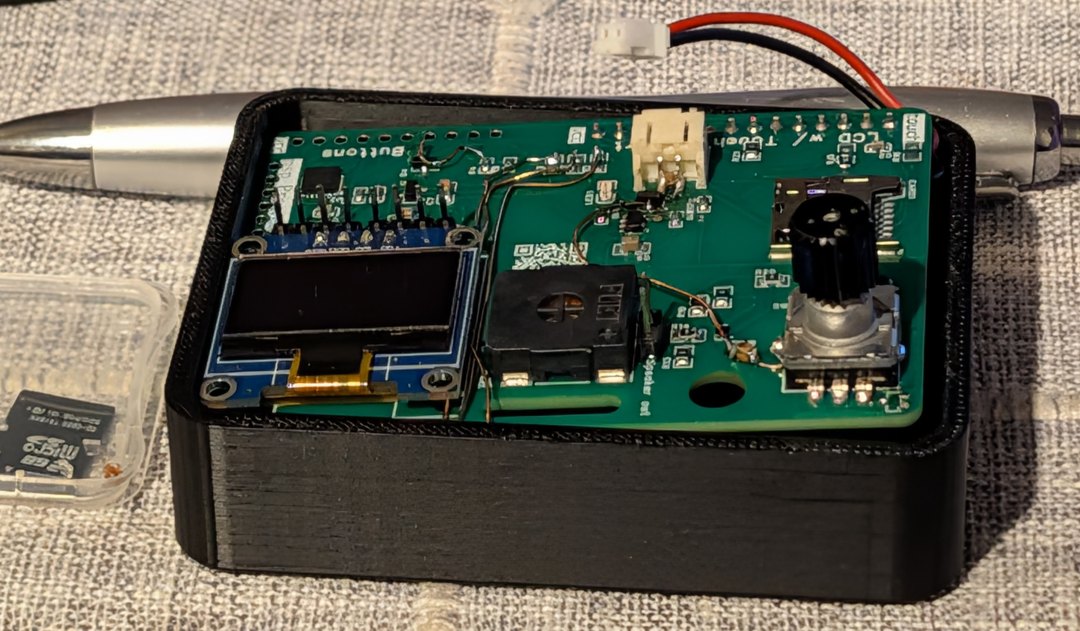
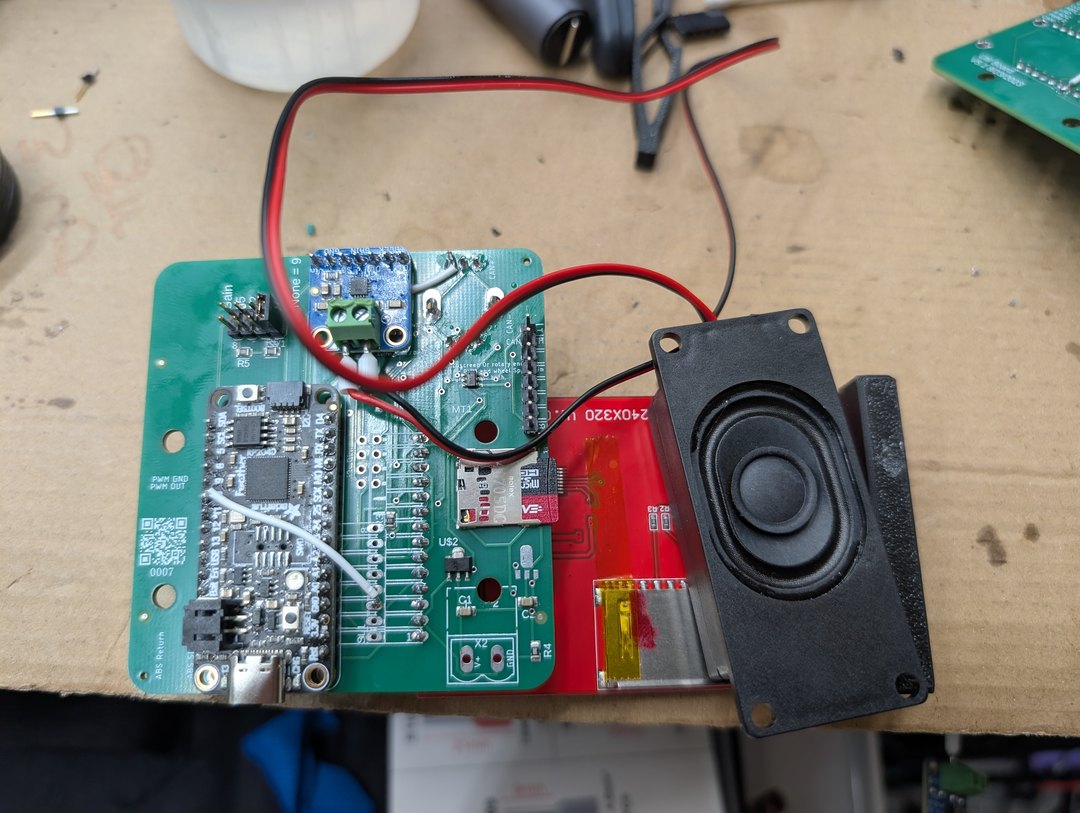
V2 MVP board — OLED, pin mux, breakout headers, microSD, small speaker
Regression rig

V2 MVP (“MVP 2.0”)

The first integrated MVP device — and now our cross-MCU test platform.

OLED display, pin multiplexer + breakout headers for a color LCD touchscreen, battery, and extra buttons. Works, but the on-board speaker was volume-constrained — the lesson that drove the V3 TLV320 + external speaker choice.

Second life: the V2 MVP board also runs the V3 software, on both RP2040 and RP2350 brains. That makes it our standing cross-MCU portability rig — any V3 software change that breaks on RP2040 gets caught here before shipping.

Why “MVP 2.0” with no MVP 1.0: the “1.0 build” was never a single integrated device — it was a set of separated breakouts / loose modules validated independently. MVP 2.0 was the first integration of those proven pieces into one board. The jump from “1.x loose parts” to “2.0 integrated” reflects breadboard-to-PCB, not a missing device.

MCU
MSP430 (host) — also runs V3 software on RP2040 or RP2350 as a portability rig
Display
OLED 128×64
Input
Buttons broken out via header
Expandability
Pin multiplexer + breakout headers (color LCD, touchscreen, battery, extra buttons)
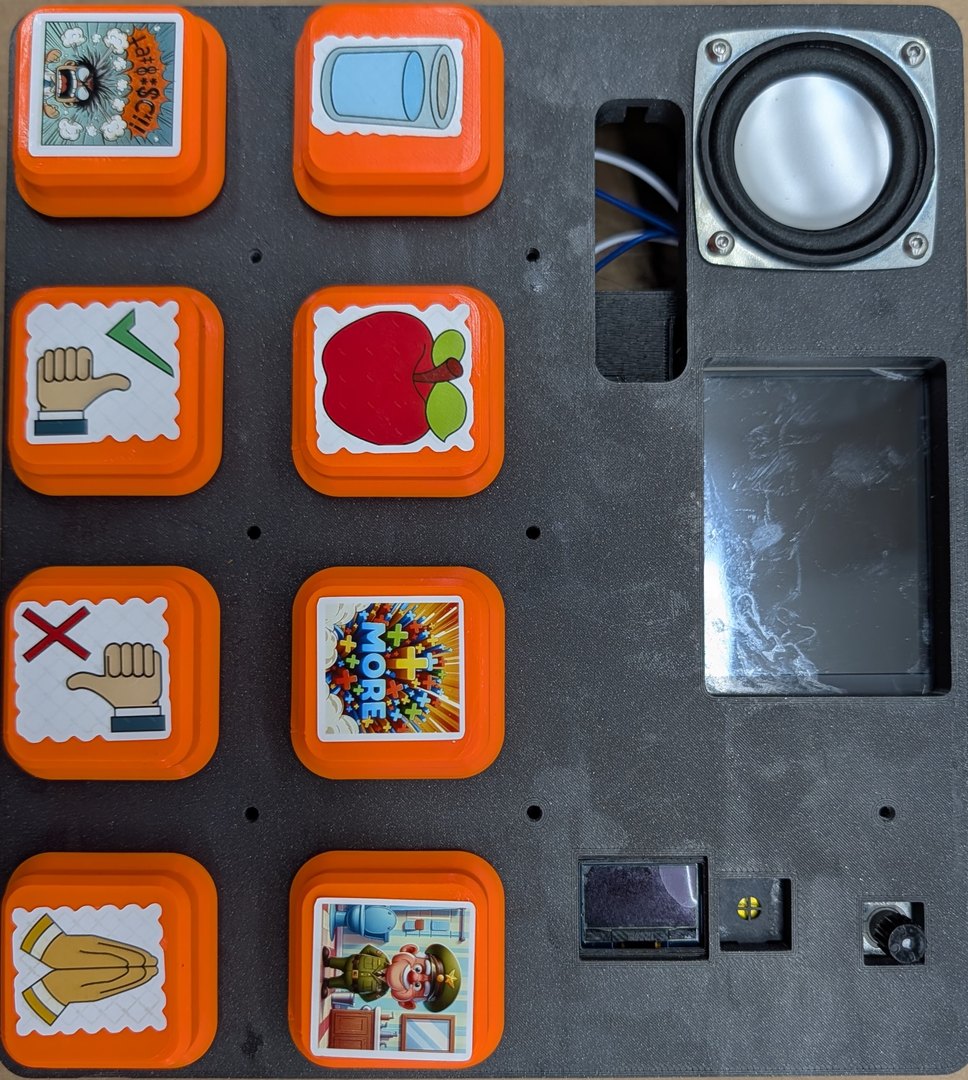
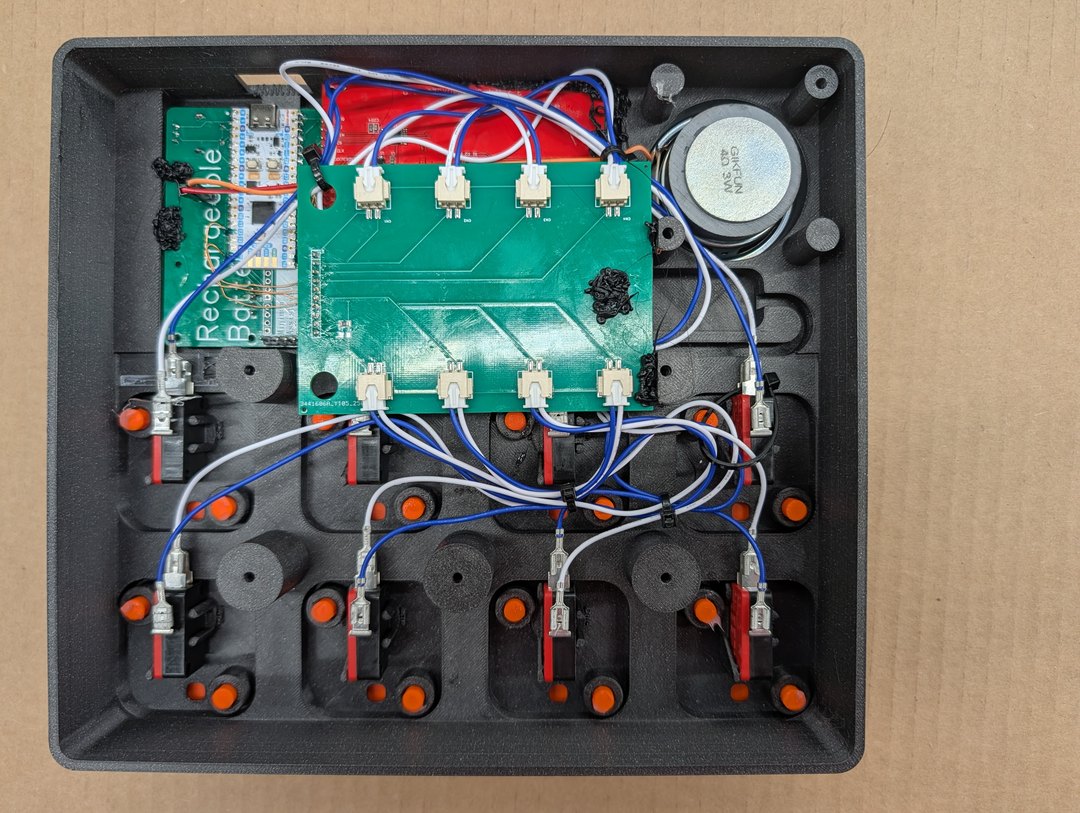
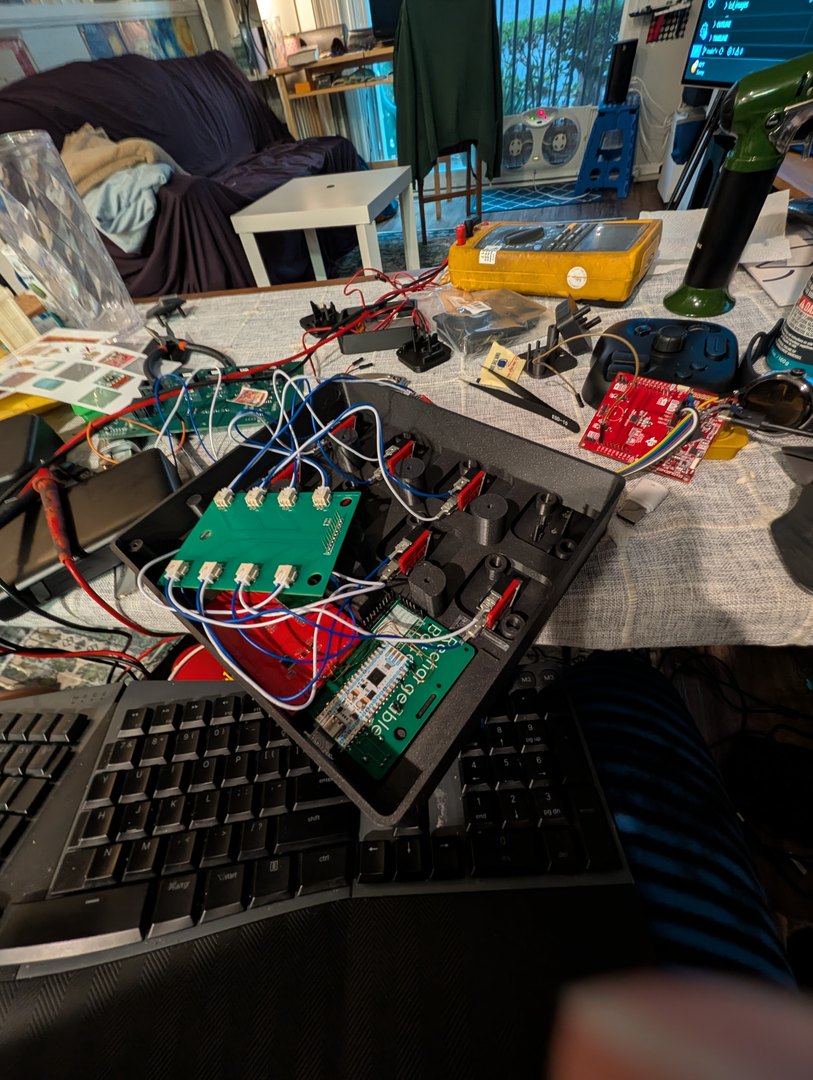
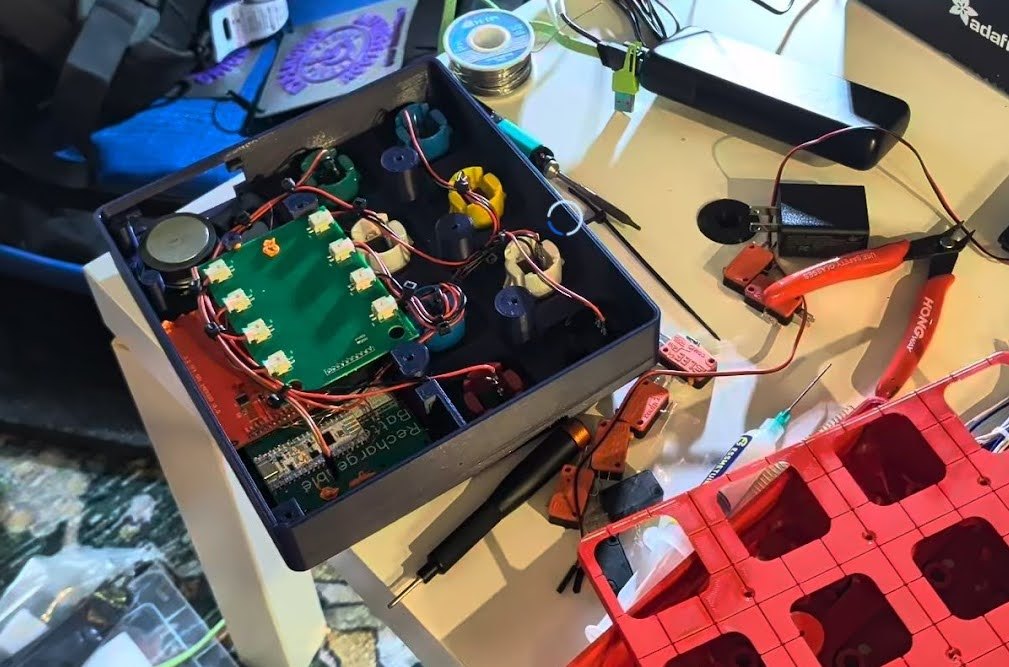
V2 Grumpy Old Man — 8 orange-bezel arcade buttons + AAC stickers + color LCD
Field-deployed

V2 Grumpy Old Man

Field-built variant on MVP 2.0 for an adult user with motor limitations.

Arcade buttons with custom AAC stickers, a good loud 4 Ω speaker (retroactively solving the MVP 2.0 volume problem), a color LCD, and multiple 3D-printed cases (blue, red, yellow). Demonstrates that MVP 2.0 + external speaker is a viable cost-down path; the V3 Stim variant uses a similarly external-friendly architecture.

Base
MVP 2.0 board (used as the brain)
Buttons
8 arcade buttons with custom AAC-category stickers
Audio
External 4 Ω / 3 W speaker (loud)
Display
Color LCD
Enclosure
Multiple 3D-printed cases — blue, red, yellow
V1 · ~2024–2025

V1 — Moana & the assistive button boards

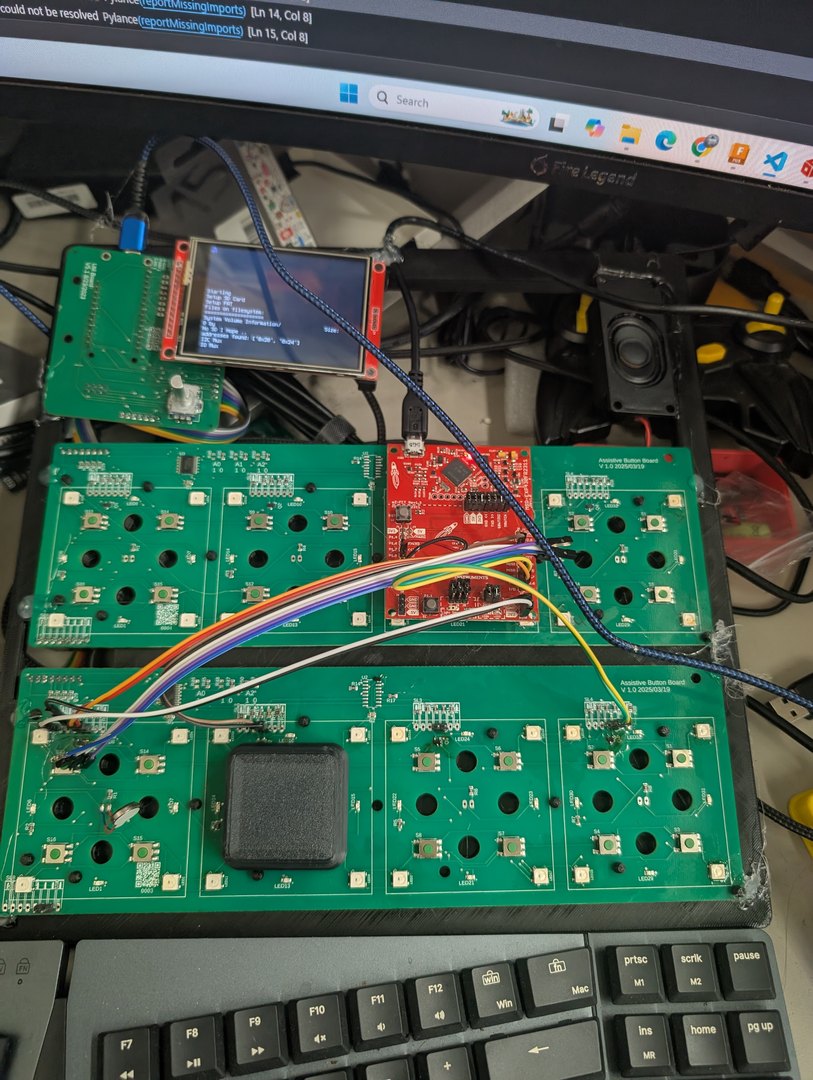
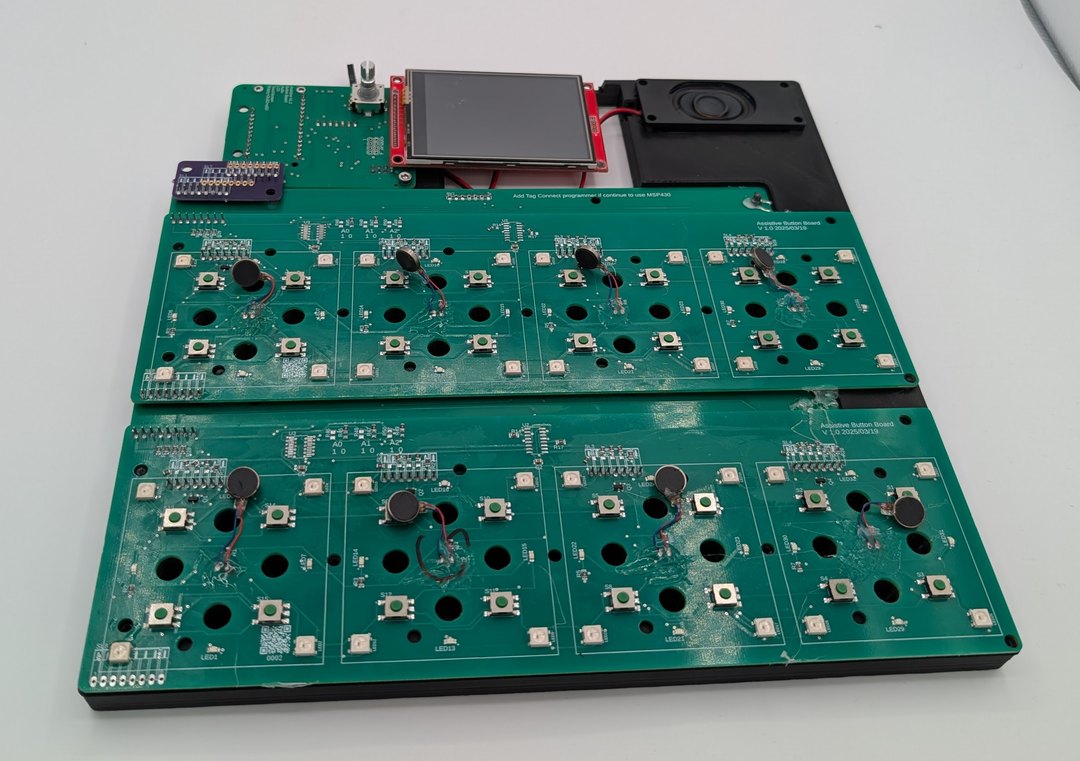
The first modern integrated AAC build. Multi-board “assistive button board” topology, small color LCD, polished enclosure for a specific child (Moana). This is where per-button haptic feedback and NeoPixel halos entered the platform — UX ideas that carried forward into V3 Interactive / Stim.

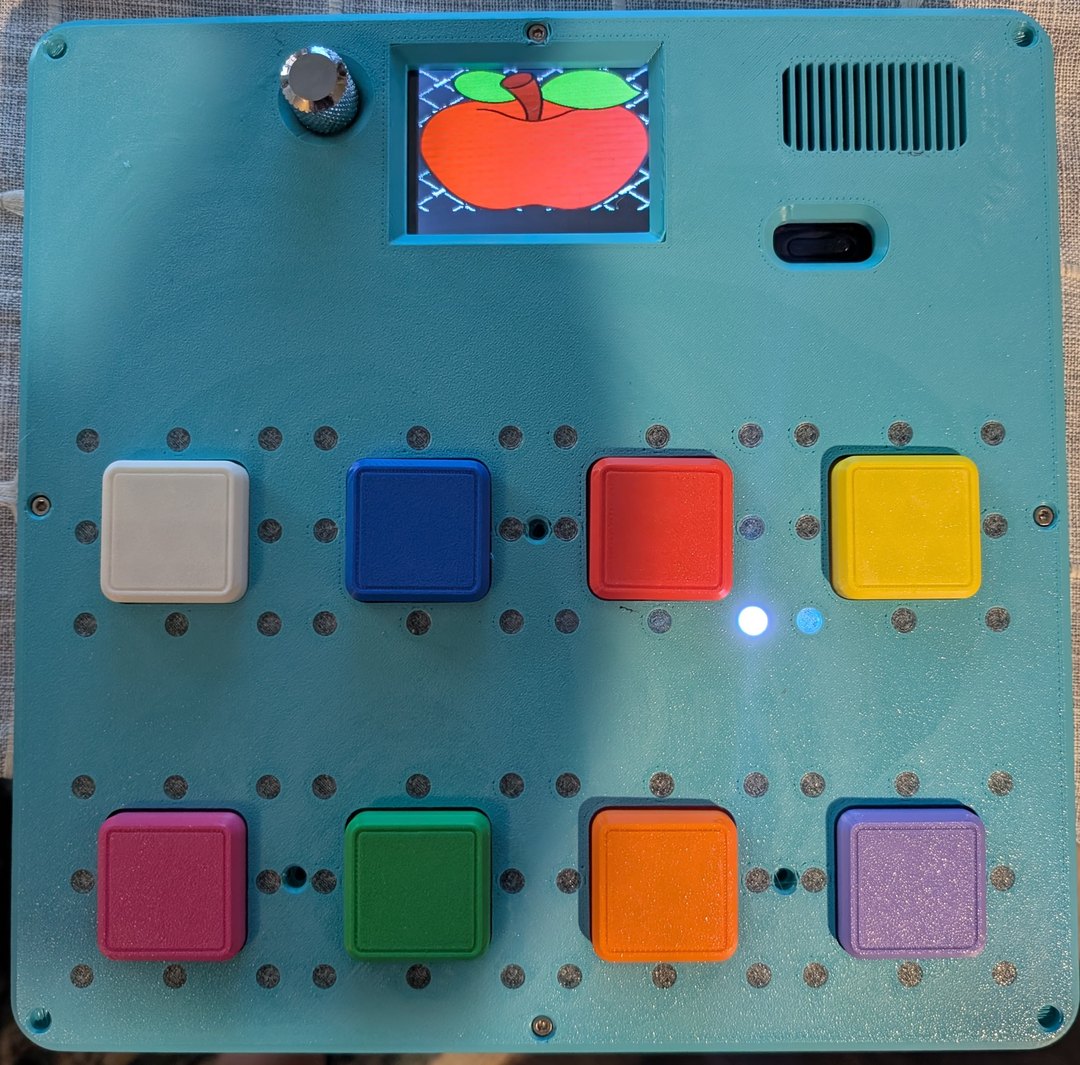
V1 Moana — teal case with 8 colored buttons and apple-on-LCD icon
Retired — UX carried forward to V3 Stim

V1 Moana

The first modern integrated AAC device.

Eight colored buttons in a 4×2 layout, a color LCD on top, a vibration motor on every button, big LEDs plus NeoPixels surrounding each button, and an amplified external speaker. Configured bilingual Thai / English for Moana's specific build.

Retired in favor of V3, but the UX lessons — per-button vibration, bright lighting, NeoPixel halo — are carried forward into V3 Interactive / Stim.

Buttons
8 colored buttons, 4×2 layout
Display
Color LCD on top
Haptics
Vibration motor on every button (per-press feedback)
Lighting
Big LEDs + NeoPixels surrounding each button
Audio
Amplified external speaker
Languages
Bilingual Thai / English
V0 · 1990s

V0 — Michael & Little Brother

The originals. Two Amiga-based devices Michael Kadie built in the early 1990s for two specific users. Pre-dates everything modern about the project — included here for the lineage record. The mission ever since has traced back to these devices: give a voice to a user who couldn't otherwise communicate.

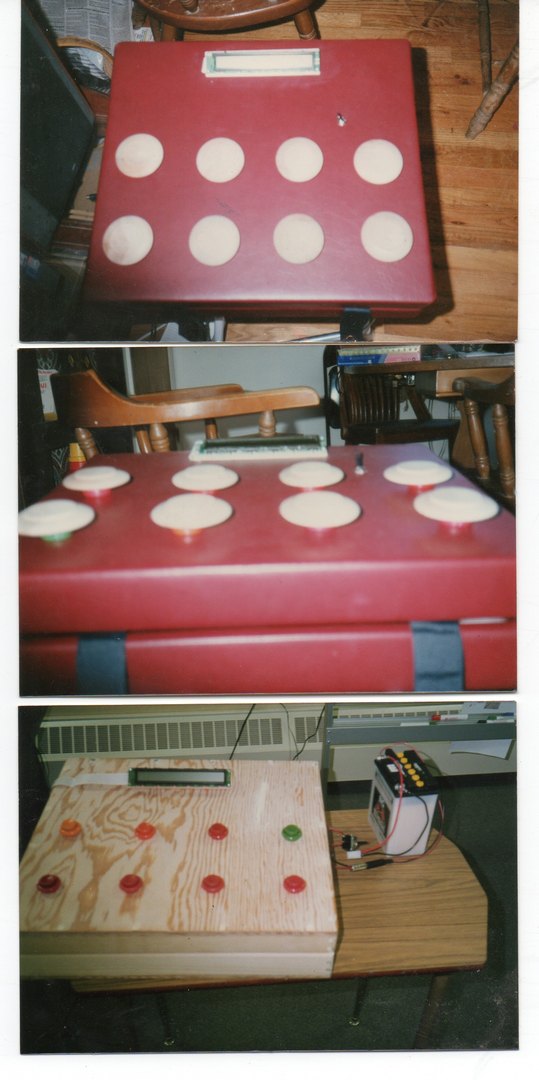
V0 90s-era collage — red enclosures with white circular buttons
Origin

Michael & Little Brother

Amiga-based communicators, custom vocabularies, red enclosures with white circular buttons.

Both V0 builds shared the same platform — Amiga computer, laptop power supply, 12 V battery, amplified speaker, text LCD. Differences were in the personalized vocabulary and physical form factor for each user.

Little Brother was previously called “Teller” in older paper notes.

Brain
Amiga computer
Power
Laptop power supply
Battery
12 V
Audio
Amplified speaker
Display
Text LCD
At a glance

Capability matrix — V3 family

What each V3 device supports today. Optional means the feature is designed in but not populated by default on every build.

Capability V3 MVP V3 CYD V3 Fruit Jam V3 Stim Sip-N-Puff
Color LCD YesYesYesYesOLED bring-up
Touch input YesYes
Rotary encoder YesOptional (red variant)YesLit
Physical buttons Lit cluster (4+home)
Sip-N-Puff native Via peripheralVia peripheralVia peripheralYesIs the peripheral
Haptics DRV2605L
NeoPixel status YesYesYes24 totalYes
QR / Tiny Code ReaderYes
Accelerometer LIS3DHOptional 9-axis IMU
Microphone (PDM) Orange case cutoutAdafruit 4346 (feasibility)
USB HID output Keyboard / Mouse / CC / CDC
Xbox Adaptive Controller3.5 mm switch jacks
Li-Ion + charger YesYesYesYesUSB-powered
MCU RP2350BESP32-S3RP2350 (Fruit Jam)RP2350B (via MVP)Pico W / Pico 2 W
Runtime CircuitPythonCircuitPythonCircuitPythonCircuitPythonCircuitPython

How V3 device choice maps to user need: maker/builder learning the system → V3 MVP; touch-capable AAC user, classroom/home → V3 CYD; encoder-first, low-cost reference → V3 Fruit Jam daughterboard; autistic / stim-benefiting user → V3 Interactive / Stim; limited-mobility user → V3 Interactive / Stim + Sip-N-Puff peripheral.

Roadmap

Where the software could run next

Everything below is demand-driven — we build a port when real users tell us they need it. The architectural insight is simple: split the accessibility input (hard to find on a phone or tablet) from the display + audio + battery + compute (already plentiful on every phone, tablet, Chromebook, and PC people own). Then ship the input as a small peripheral.

Mobile

Android & iOS

Ship the T-Rex Talker as a mobile app for families that already own a tablet. Pair with a tiny USB / BT input peripheral. Inherits battery, display, TTS, and app-store distribution for free.

Wait for the signal: “We already have a tablet — can it run the AAC?”

Desktop

Chromebook, Windows, Mac

Same story on classroom Chromebooks and household laptops. Our differentiator on desktop isn't the AAC engine — there's plenty already — it's native support for Sip-N-Puff and switch-access input that most existing AAC desktop software doesn't speak fluently.

Eye tracking

Gaze-based input

For users who can't reliably use touch, switches, breath, or head-tracking. We plan to integrate an existing open-source eye-tracking project rather than write the CV stack. On a phone / tablet host (which already has a front camera + compute), incremental hardware cost drops to zero — so this lands naturally on top of Mobile.

Small hardware addon

Seesaw-as-peripheral

A pocket-size box with the MSPM0 Seesaw + a USB-class bridge presenting HID Keyboard / Mouse / Consumer Control / CDC to any phone, tablet, Chromebook, or PC. Because the Seesaw is already the input boundary across V3, when we build this the only new work is the USB bridge and enclosure.

Not-favored for new V3 builds: RP2040 and Adafruit Feather form-factor breakouts (measured idle power draw too high for battery-powered AAC). Fine for prototyping and portability tests, not for deployment.

Need a variant we haven’t built yet?

The whole point of the V3 architecture is that a new variant is a daughterboard, not a new device. Tell us what you need.

Get in touch → Back to Devices →